 keypad
Desk hack of the decade
Use your iPad for Mac shortcuts: launch apps, set bookmarks, and more.
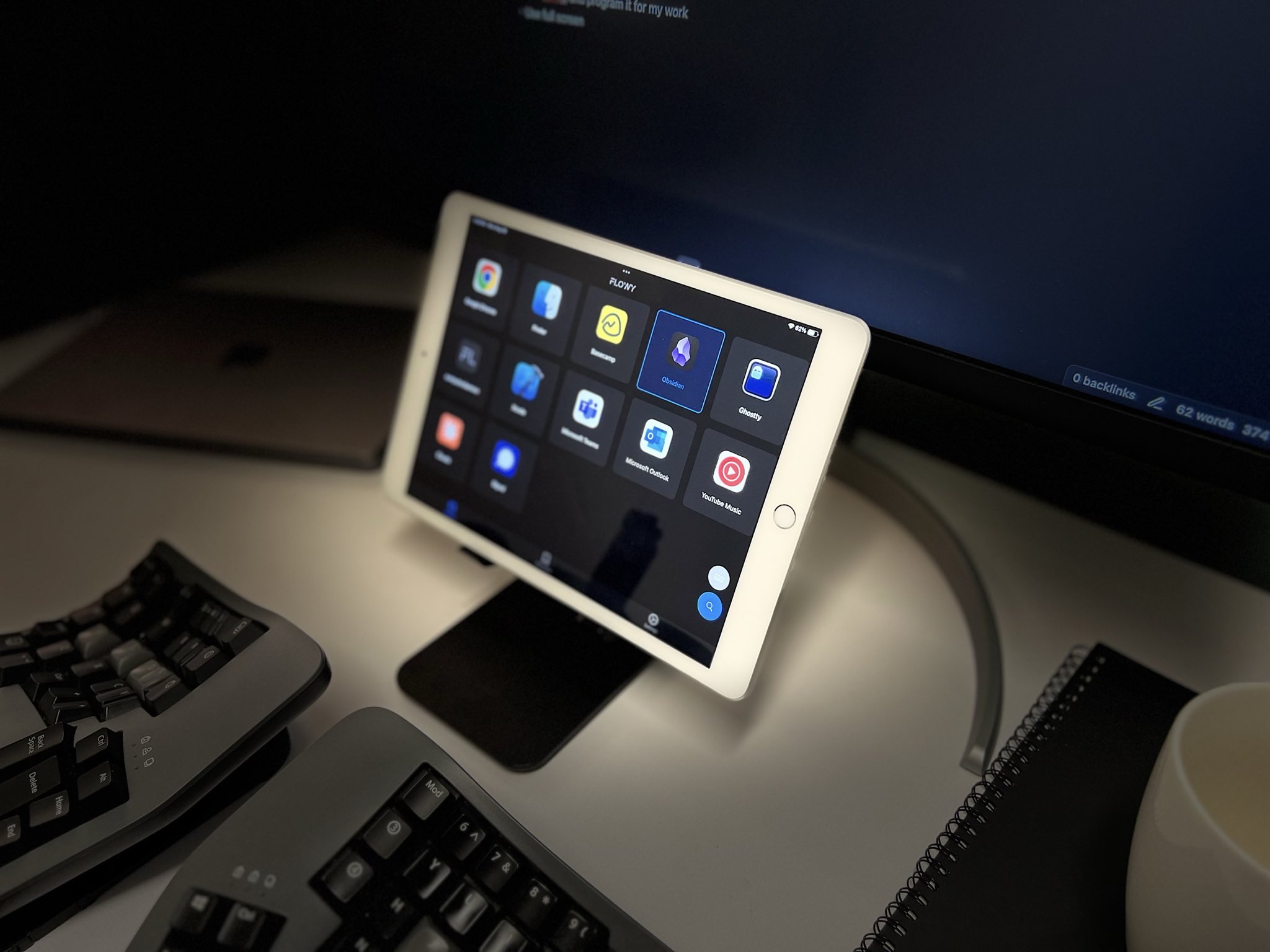
-
Browser integration. Switch tabs like never before in Safari and Google Chrome. -
Replace your Mac dock. Switch apps in a tap, even across desktops. -
Bookmark anything. Claude, X, that Google Doc you open ten times a day. One tap. -
Open Finder where you need it. Jump to the right folder, already open. -
Spotify panel. Simple controls at your fingertips so that you stay in flow. -
Custom panels. Pomodoro focus panel, dock panel, terminal panel, and more to help you wherever you are.

They connect wirelessly
Launch it on your iOS and macOS, and they will pair automatically. Nothing else to configure.
FAQ
Is the install process long?
No. Most people set up and tap their first key in under five minutes.
Is there a subscription? What's the catch?
Our free tier has no limits. The catch is that it's ad-supported.
At this time, our pro plan supports on-going development. Pro users
will also receive exclusive features coming soon.
Is it like Stream Deck mobile?
keypad is built for office work, pairs macOS with your iPad, works out of the box, has a modern dynamic layout, and is free without limits.
Does it connect wirelessly?
Yes. Note: you must disable firewall between devices in your network if you run into issues.
What's the difference between the iPad and iPhone versions?
The iPad experience is built for power users. iPhone support is more limited, but handy for a minimalist setup.
When will it support Windows, Android, or Linux?
We're focused on the Apple ecosystem for now. We'd love to expand when it's feasible.
How is this different from a keyboard and mouse?
It conserves energy and reach at your desk. It shines for desk-based work, not the laptop-in-a-coffee-shop kind.
How do I suggest improvements?
Email team@flowylabs.ai. Even a one-line note is welcome.
Cut clicks. Stay in flow.
Your iPad, turned into a smart keyboard for work. No login, unlimited keys, free.
Download free